Study/Android
Android Widget (안드로이드 위젯) 만들기
Answer Choi
2015. 2. 11. 16:28
반응형
가장 쉬운 위젯 만들기!!
일단 실행을 해보면 아래와 같은 화면이 나온다.
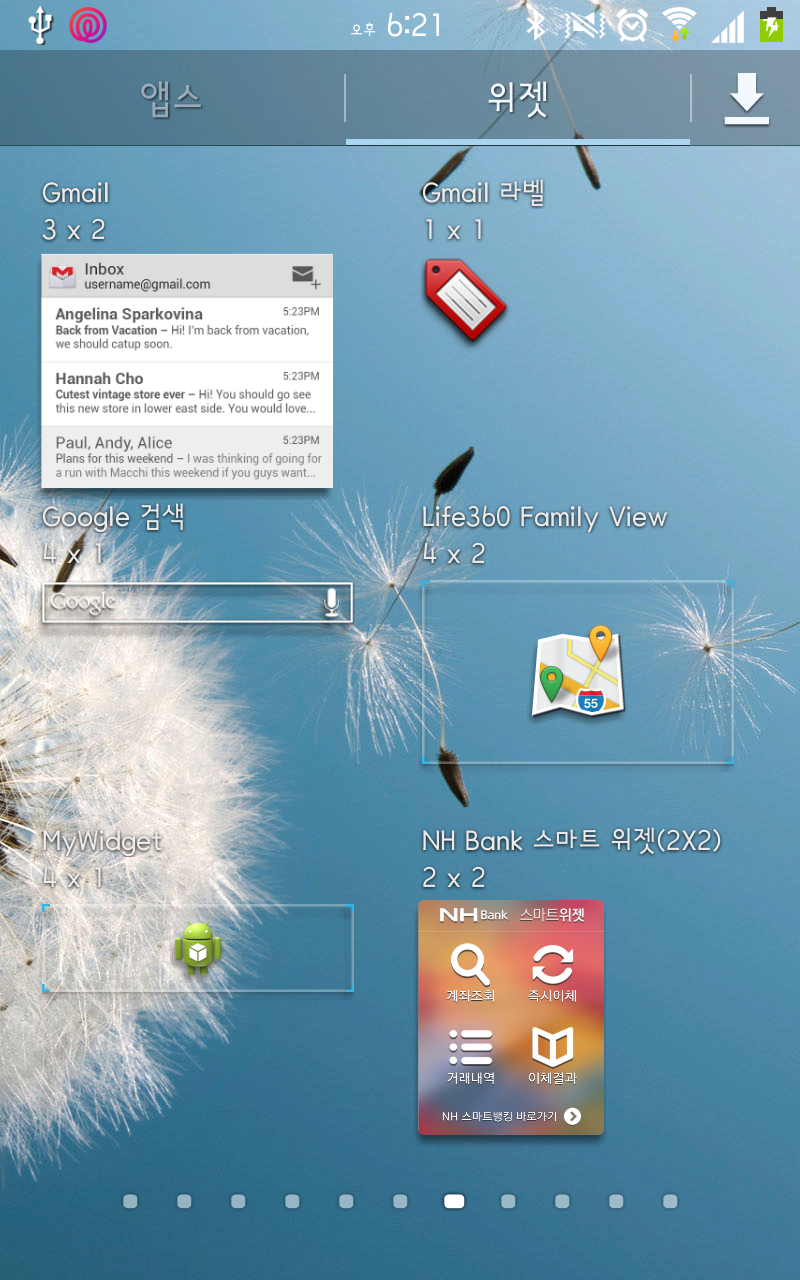
위젯메뉴에서 위젯을 화면에 설치하자.
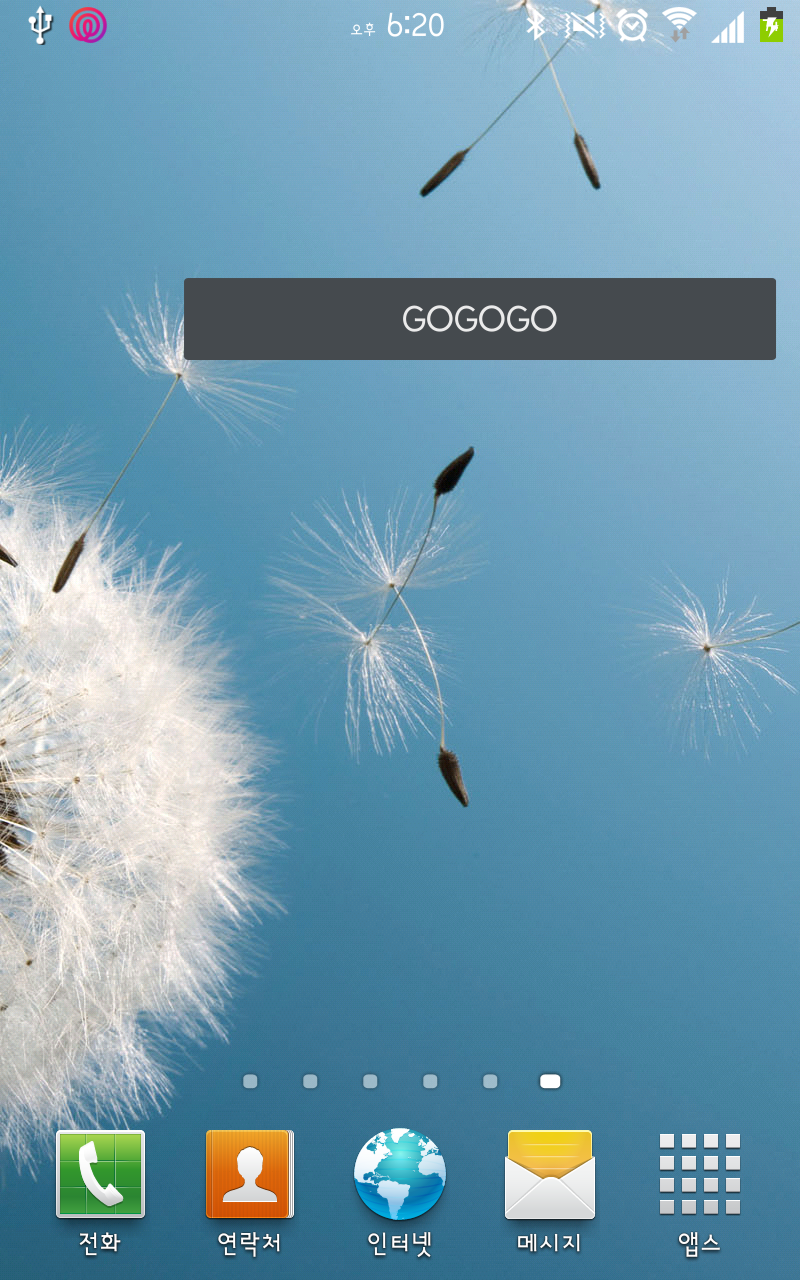
설치된 위젯이 버튼을 눌러보자.(참고로 위젯 전체가 버튼;;;)

그럼 위와같은 웹뷰가 띄워진다.
이 앱은 단순히 액티비티를 띄우는 거라 간단하지만, 데이터를 주고받고 하려면 브로드캐스팅이나 서비스를 써야함.
MyWidget.java
1 2 3 4 5 6 7 8 9 10 11 12 13 14 15 16 17 18 19 | public class MyWidget extends AppWidgetProvider { @Override public void onUpdate(Context context, AppWidgetManager appWidgetManager,int[] appWidgetIds) { super.onUpdate(context, appWidgetManager, appWidgetIds); int appId; for(int i=0;i<appWidgetIds.length;i++){ appId=appWidgetIds[i]; Intent intent=new Intent(Intent.ACTION_VIEW).setData(Uri.parse("http://m.daum.net")); PendingIntent pe=PendingIntent.getActivity(context, 0, intent, 0); RemoteViews views = new RemoteViews(context.getPackageName(),R.layout.activity_main); views.setOnClickPendingIntent(R.id.eventBtn, pe); appWidgetManager.updateAppWidget(appId, views); } } } | cs |
위젯용 클래스를 하나 만들고, AppWidgetprovider를 상속한다.
그리고 마우스 오른쪽을 눌러 source->override해서 onUpdate만 만들어보자.
그리고 그안에서 이동할 액티비티를 인텐트를 이용하여 코딩
activity_main.xml
1 2 3 4 5 6 7 8 9 10 11 12 13 14 15 | <LinearLayout xmlns:android="http://schemas.android.com/apk/res/android" xmlns:tools="http://schemas.android.com/tools" android:layout_width="match_parent" android:layout_height="match_parent" android:orientation="vertical" tools:context=".MainActivity" > <Button android:id="@+id/eventBtn" android:layout_width="match_parent" android:layout_height="wrap_content" android:text="GOGOGO" /> </LinearLayout> | cs |
바로 위에서 리모트뷰로 연결해주는 레이아웃이다. 그냥 버튼하나만 있다.

그래피컬 레이아웃으로 보면 이렇다.
res/xml/widget_config.xml
1 2 3 4 5 6 7 8 | <?xml version="1.0" encoding="utf-8"?> <appwidget-provider xmlns:android="http://schemas.android.com/apk/res/android" android:minWidth= "294dp" android:minHeight="72dp" android:updatePeriodMillis="1000" android:initialLayout="@layout/activity_main" /> | cs |
위젯에 대한 속성 정보이다. 업데이트 시간 크기등이 정의되어있다.
AndroidManifest.xml
1 2 3 4 5 6 7 | <receiver android:name="MyWidget"> <meta-data android:name="android.appwidget.provider" android:resource="@xml/widget_cofig"/> <intent-filter > <action android:name="android.appwidget.action.APPWIDGET_UPDATE"/> </intent-filter> </receiver> | cs |
그리고 메니페스트에 등록만 해주면 된다.
AppWidgetprovider가 리시버를 상속받았으니 리시버로 정의해주고, 메타터의 리소스에는 속성파일
그리고 인텐트필터에서는 캐치할 액션을 넣어주자.
반응형